Bindery
v1.0.0 — updated 3 July 2026 — Free for Windows
From a messy manuscript to a book you're proud to publish — automatically. Bindery reads your DOCX, detects your chapters and front/back matter, and lays it all out into a beautifully formatted, print-ready PDF and EPUB. No manual page-breaking. No formatting fights in Word. Just a clean, professional book.
It detects Copyright, Dedication, Table of Contents, Foreword, Epigraph, About the Author, Also By, and Acknowledgements sections on its own, sizes your cover art to the exact trim you need, and shows you a live preview that's pixel-for-pixel what gets exported.
✦ What It Does
Import & Detection
📄
DOCX import
Reads straight from your Word manuscript — headings, spacing, and structure all carry through cleanly.
🔎
Automatic chapter detection
Finds your chapter breaks on its own, and knows where the story body ends so back matter is never mistaken for a chapter.
🏷️
Front & back matter detection
Copyright, Dedication, Table of Contents, Foreword, Epigraph, About the Author, Also By, and Acknowledgements — found and pre-filled automatically.
⚡
Book presets
Novel, Short Story Collection, Novella, Poetry Collection, or Non-Fiction — pick one and every setting configures itself.
Layout & Design
📐
Drag-reorderable sections
Reorder front and back matter freely, insert blank pages anywhere, and toggle any section on or off.
📏
Every KDP trim size, plus A5 & A4
Pick your paper size and Bindery handles margins, bleed, and layout to match.
🖋️
Fonts & alignment
Choose body and heading fonts with a live preview, and set paragraph alignment — left, justify, center, or right.
🖼️
Cover & artwork manager
Drop in front cover, back cover, spine, and chapter-header art — Bindery tells you the exact pixel dimensions your trim size and EPUB need.
🎨
Light, dark, and boring themes
Work the way you like — a soft themed look, a dark mode, or a plain "just get out of my way" theme.
Export & Preview
👁️
Live PDF & EPUB preview
The preview renders through the exact same export pipeline as the real file, so what you see is always what you get.
📖
EPUB export
Real cover page, working Table of Contents, and correctly ordered front/back matter — ready for any e-reader store.
🖨️
KDP-ready print PDF
Full-bleed cover art, real chapter bookmarks, and configurable page numbering that starts exactly where you want it.
📑
Real Table of Contents
Chapter titles with accurate page numbers in the PDF, a real spine page in the EPUB, and it's shown in the preview too.
💾
Project files
Every setting — layout, fonts, sections, artwork — saves into a single .bindery project you can reopen and re-export any time.
✦ Screenshots
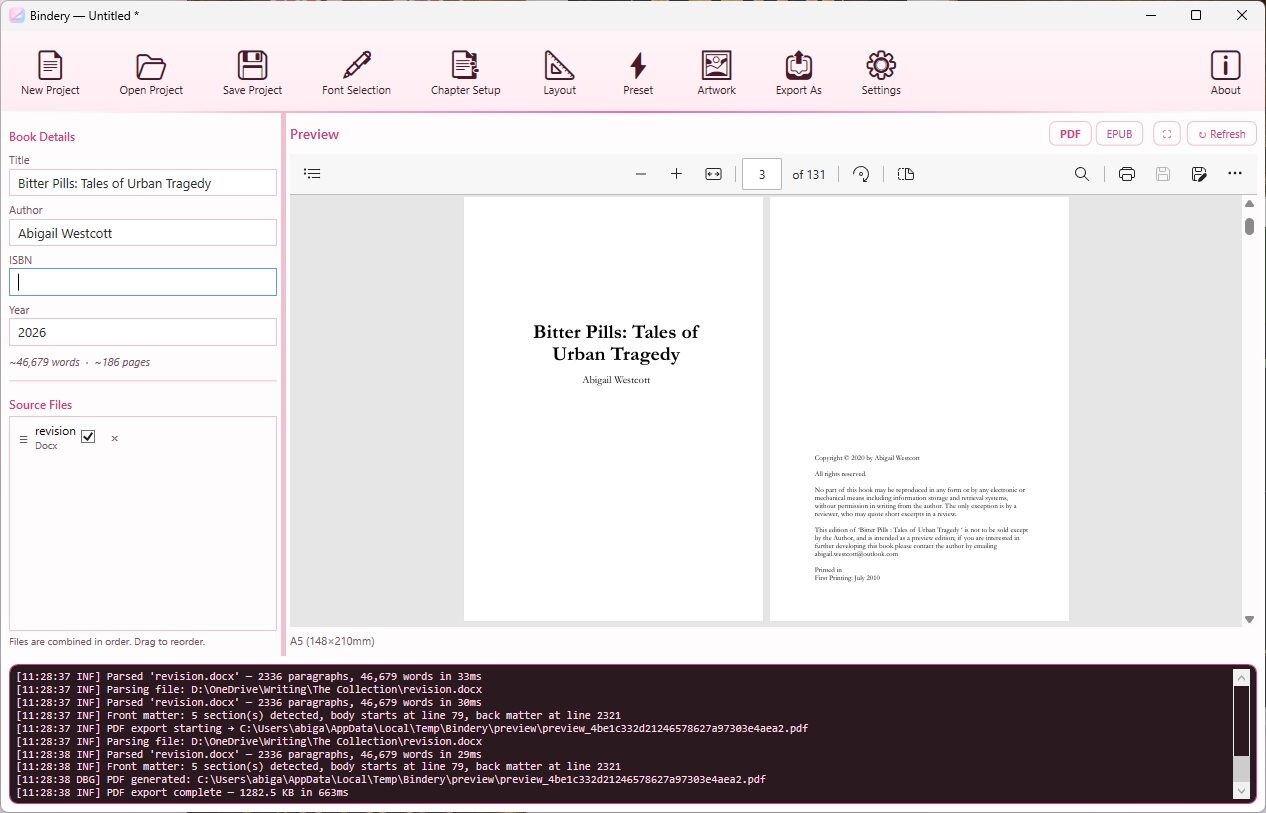
Main window
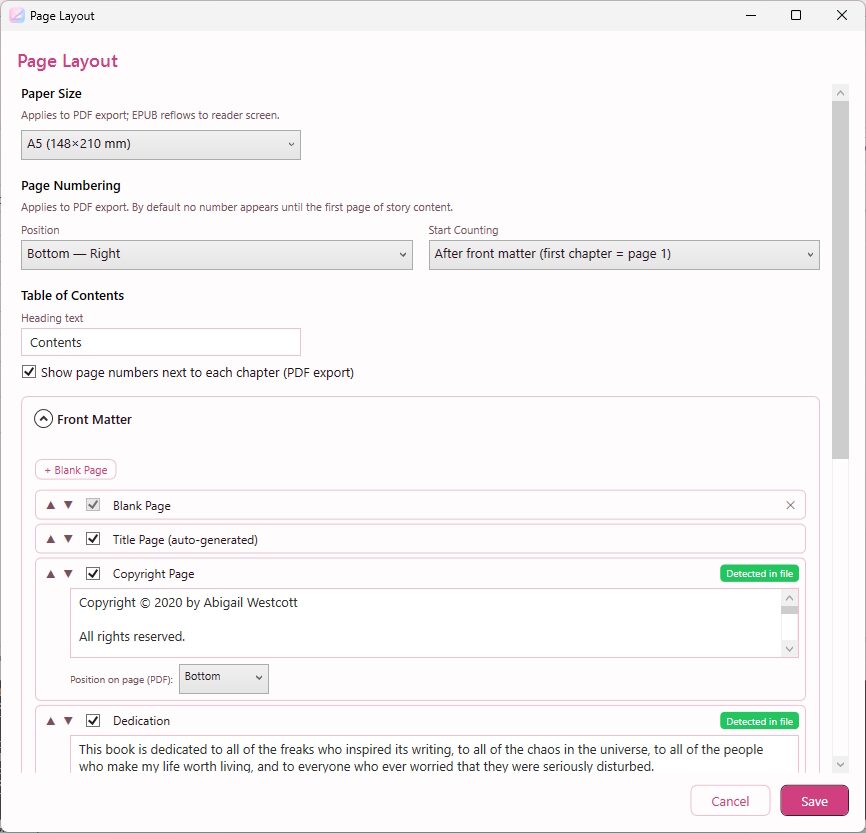
Layout — front & back matter
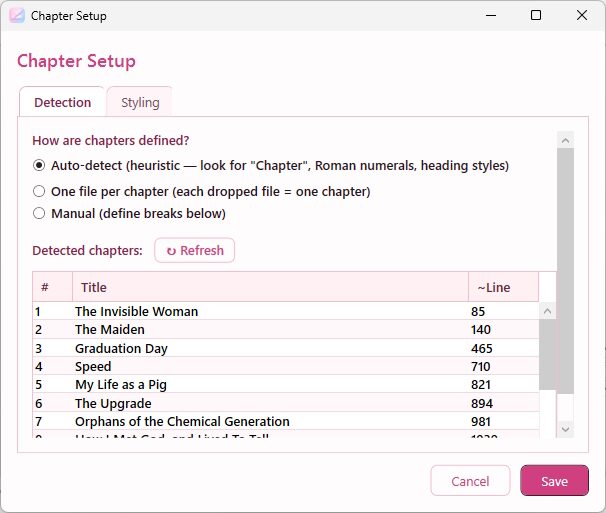
Chapter setup
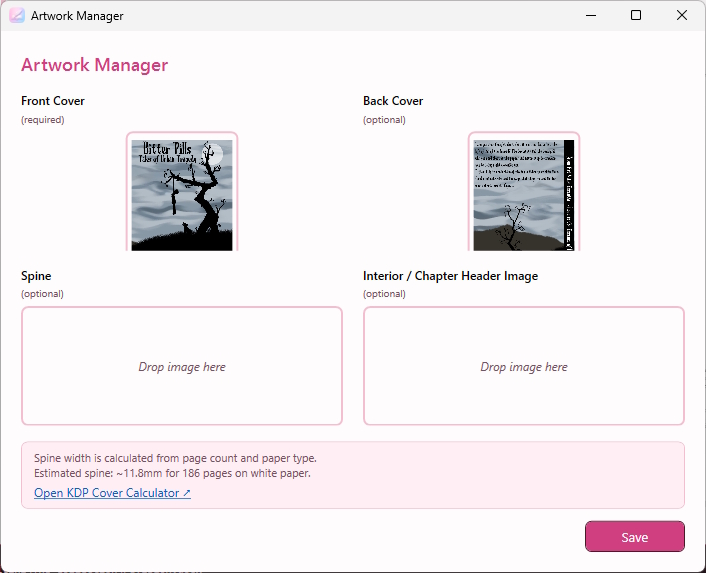
Artwork manager
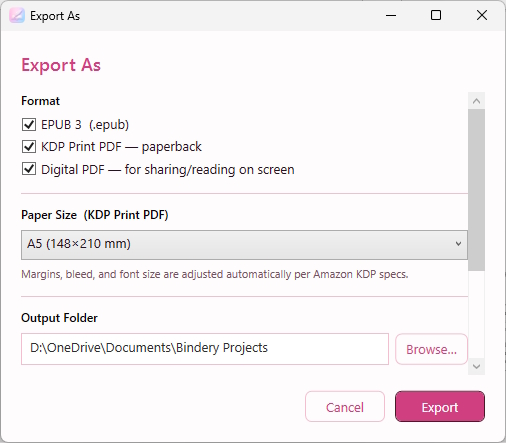
Export
✦ Changelog
v1.0.0 — latest
- First public release, with a proper Windows installer
- Live PDF/EPUB preview that always matches your real export exactly
- Redesigned Layout window — drag to reorder front and back matter in one place
- Book Preset templates for Novel, Short Story Collection, Novella, Poetry Collection, and Non-Fiction
- Real, working chapter bookmarks and a Table of Contents with accurate page numbers in the PDF
- Front and back cover art now embeds correctly in both PDF and EPUB, sized to the right aspect ratio
- Cover art wells now show the exact pixel dimensions you need for your trim size and for EPUB
- Copyright, Dedication, Table of Contents, and Epigraph detection now handle far more manuscript formats correctly
- Configurable page numbering, with a sensible default that starts counting from your first chapter
- Fixed several cases where a section (chapters, artwork, or edits) could silently fail to save
- Consistent visual theme across the whole app, in Light, Dark, and Boring styles