DiskPixie
v1.0.0 — updated 10 July 2026 — Free for Windows
Every old disk image format in one place. Open an ISO, a floppy dump, or a raw BIN/CUE or CCD CD rip and browse it like a folder — select what you want and extract it, no mounting or command-line archaeology required.
Pull CD audio tracks out as WAV, MP3, or OGG. Build a new ISO, floppy, or FAT image from files you drag in. Or skip the file entirely and image a real physical optical, floppy, or USB drive — strictly read-only, so it can never touch the drive it's reading from.
✦ What It Does
Open & Browse
💿
Every common format
ISO, IMA, IMG, BIN/CUE, and CCD — including a matching .cue-less .bin, guessed automatically.
🗂️
Explorer-style browsing
A familiar checkbox tree — tick what you want, extract selected files or everything at once.
🎵
CD audio extraction
Pull audio tracks from mixed-mode BIN/CUE and CCD images out as WAV, MP3, or OGG.
Create
📀
ISO9660 from files
Drag files and folders in, build a real ISO out the other end — with full Joliet long filename support.
💾
Real floppy sizes
720KB, 1.44MB, and 2.88MB — all correctly FAT12/16, matching real floppy hardware.
📦
Superfloppy images
LS-120, Zip disk, or any custom size FAT16/32 image, built the same way real drives were formatted.
🔌
Image a real drive
Pick a real optical, floppy, or HDD/USB drive and image it directly — strictly read-only, it can never write back.
Fits Right In
🖱️
Right-click menu
"Open in DiskPixie", "Extract Here", and "Extract to Subfolder" right in Explorer's context menu.
⌨️
Command line
Script your extraction: DiskPixie.exe -x image.iso destination.
🎨
Dark & light themes
Pixie Dark and Pixie Light, switchable live from Settings — no restart needed.
✦ Screenshots
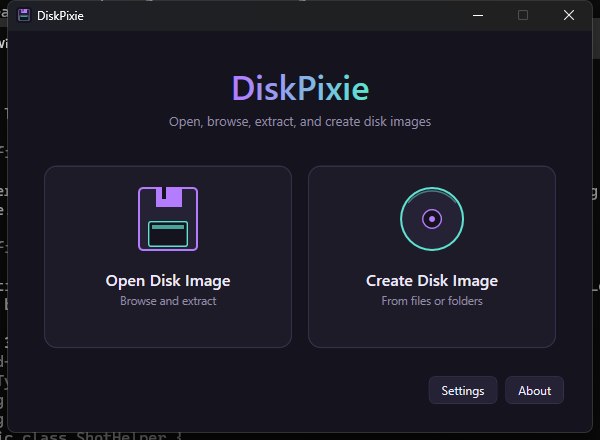
Main window
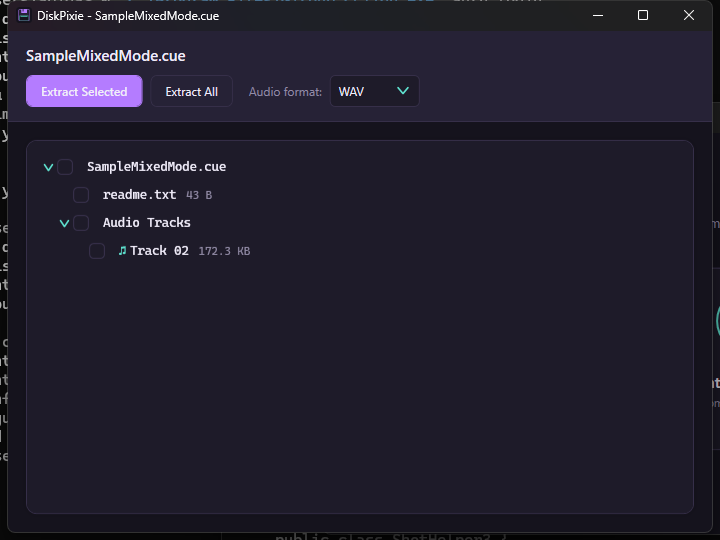
Browsing a mixed-mode disc (data + audio track)
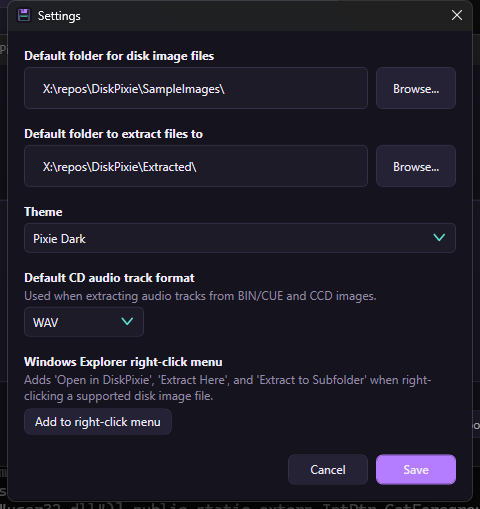
Settings
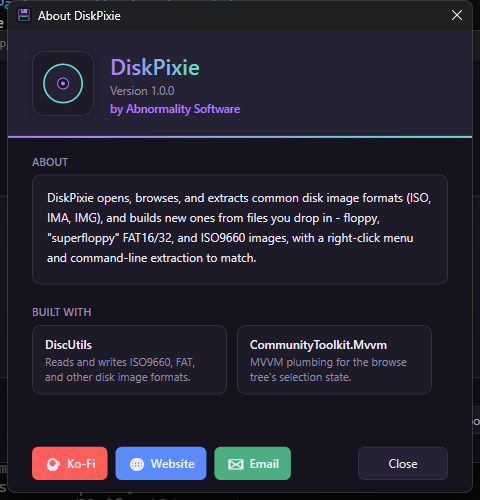
About
✦ Changelog
v1.0.0 — latest
- First public release of DiskPixie
- Open and browse ISO, IMA, IMG, BIN/CUE, and CCD disk images in an Explorer-style tree, with selective or full extraction
- Extract CD audio tracks as WAV, MP3, or OGG, with a default format setting
- Create new ISO9660, real floppy (720KB/1.44MB/2.88MB), and larger FAT16/32 "superfloppy" images (LS-120, Zip, custom size) from files you drag in
- Image a real physical drive (optical, floppy, HDD/USB) directly, strictly read-only
- Windows Explorer right-click integration and command-line extraction
- Two built-in themes (Pixie Dark / Pixie Light), live-switchable from Settings
- Why:
- Added:
- DiskPixie.Core/PhysicalDrives/: WMI-based PhysicalDriveEnumerator
- ElevationHelper (App): detects admin rights, offers a UAC-elevated
- Refresh
- "Open in DiskPixie" context menu verb (--open) opens a file straight to
- Verified:
- Known limitation, by design:
- Backlog (user, "eventually"):
- Why:
- Added:
- DiskPixie.Core/RawCd/: CueSheetParser and CcdSheetParser, both
- BinCueImageReader (Formats/): mounts the data track's filesystem,
- AudioTrackExporter (Audio/): WAV (NAudio), MP3 (NAudio.Lame), OGG
- .cue/.ccd wired into DiskImageReaderFactory. Per user request,
- UI: audio tracks show a musical-note glyph in the browse tree; an "Audio
- .cue/.ccd added to the Explorer context-menu extensions; per user
- Fixed (user-reported crash):
- Verified:
- Why:
- Added:
- Real multi-theme system: Themes/DiskPixieStyles.xaml (all control styles,
- Rebuilt AboutWindow to mirror AbigailsMediaRenamer's structure: header
- Card/toolbar visual treatment for DiskImageBrowserWindow and
- New "Extract All" button in the browser window
- Real app icon (Assets/app.ico, 16/32/48/256px) rendered from the same
- Fixed (found via actual screenshots, not just build success):
- Implicit Style TargetType="Window" never applied Background — every
- Theme/type ComboBoxes showed the raw record ToString() instead of the
- Settings/CreateImage windows clipped their content — fixed with
- User-reported
- False alarm:
- Process note:
- Why:
- Added:
- DiskPixie.Core: IDiskImageReader/DiskEntry abstraction over DiscUtils'
- DiskPixie.Core: IDiskImageWriter + IsoImageWriter (DiscUtils
- DiskPixie.Core: AppSettingsService — JSON settings at
- DiskPixie.App: MainWindow (2 big buttons — Open/Create Disk Image, 2
- Verified:
- Core round-trip proven via a throwaway console harness (not just build
- Live app launch confirmed via UI Automation (scoped to the app's own
- User manually verified Settings end-to-end through the real running app:
- Open/Create Disk Image window flows are mid-verification by the user
- Incident, no lasting effect:
- Explicitly deferred (not bugs, staged on purpose):
- Not yet done:
- Fixed:
- Extracted files carried a trailing ;1 (ISO9660's file version-number
- Building a FAT floppy image failed with IOException: Invalid path for any
- Browse tree's root node displayed as a bare / (user reported it as a
- Added — expanded FAT image sizes,
- FatFloppyImageWriter now takes a FloppyDiskType (720KB/1.44MB/2.88MB)
- New FatLargeVolumeImageWriter (arbitrary byte capacity, via DiscUtils'
- Extracted the shared file-tree-writing + 8.3-sanitizing logic (previously
- CreateImageWindow now lists all 7 ISO/FAT type+size combos plus the 3
- All 7 new size/type combinations verified via a console harness: build →
- Confirmed already working (no change needed):
- Why:
- Added:
- DiskPixie.Core: DiskImageExtractor.ExtractAll (full-tree extraction,
- DiskPixie.App: App.xaml.cs now intercepts CLI args in OnStartup
- DiskPixie.App/Services/ContextMenuIntegration: registers/unregisters
- Verified:
- Known limitation, by design: